

Pay Over Time, and Track It That Way
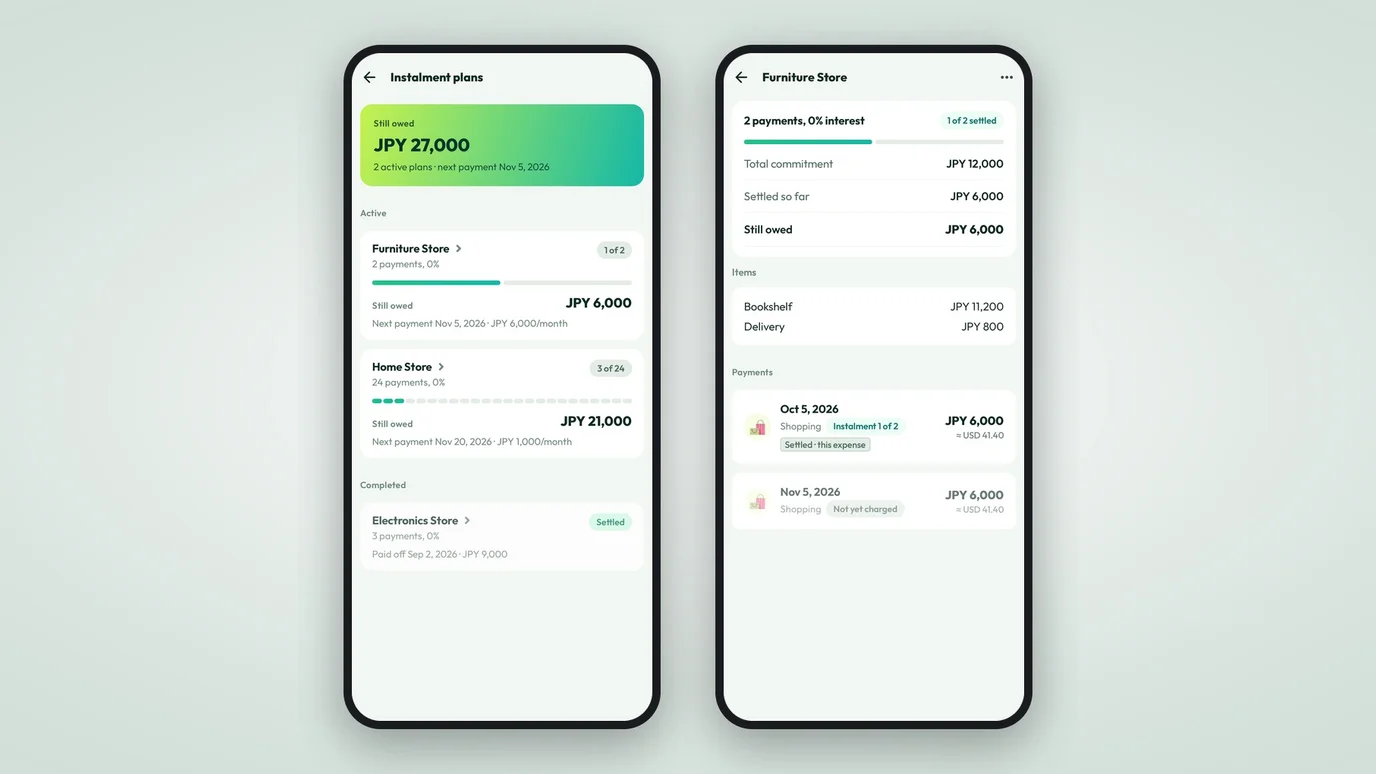
Instalment plans are now in Numza. A purchase paid in 12 parts is recorded as 12 payments, and each financial cycle carries only its own share of the budget.
A new laptop on 12 monthly payments is easy to agree to at the checkout. It is harder to live with in an expense tracker.
Most trackers ask for one number, and one number only fits a purchase paid all at once. If you enter the full price on the day you bought it, that month looks like a disaster and the next eleven look free. If you divide by twelve and log a payment, the plan itself disappears. You lose track of how many payments are left, how much you still owe, and which payment is due next.
Instalment plans are now built into Numza. A purchase paid over time is recorded as a plan, with its own payments, and the app counts it the way it actually leaves your account.
A plan is not an expense
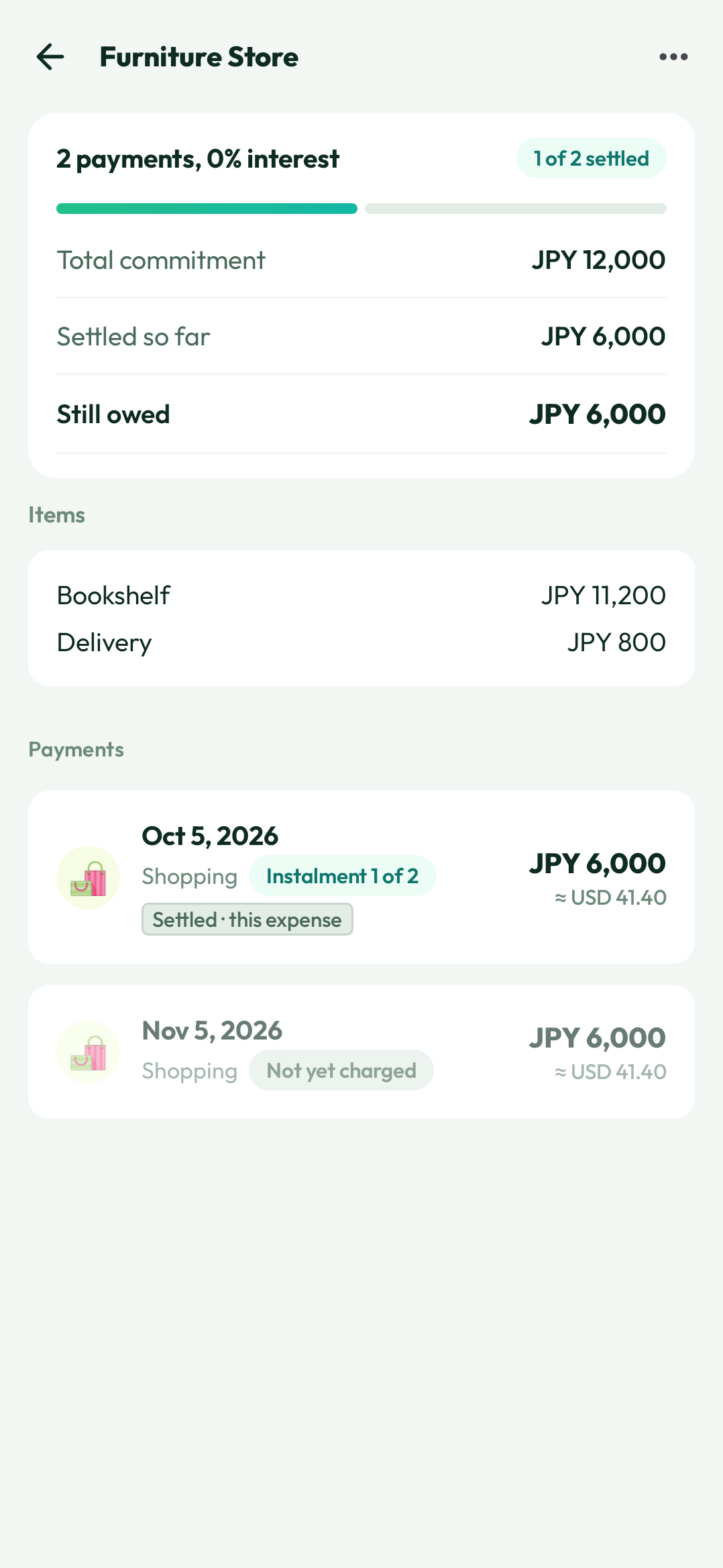
When you buy something in instalments, you take on a commitment. The commitment has terms: a total, a number of payments, an amount for each one, and a first payment date. The money that leaves your account is a different, smaller thing.
Numza now keeps those two ideas apart. The plan records the commitment. Each payment is an expense, dated on the day it is charged.
You record a plan while you add the purchase. Add the expense, open its payment schedule and choose Instalment, then set 2 to 36 monthly payments and either a monthly amount or a price plus interest. Confirm, and the purchase saves with its receipt, category, merchant and card as the plan’s own row. A purchase you logged earlier cannot be turned into a plan afterwards, so set the schedule when you add it.
What your budget actually sees
This is the part that changes how the app feels. A plan’s total is never counted as spending. Only the payment due in a financial cycle counts toward that cycle’s budget.
A purchase made in October over 12 payments shows one payment in October’s budget. November carries its own, and so does every month after that. Budgets, month-to-date totals, Insights and reports all read the same schedule, so the figure on your dashboard is money that moved, not money you promised.
Future payments are booked in advance. They count toward the right cycle’s budget as soon as the plan is created, but they stay out of the expense list, the widget feed, the CSV export and every recent list until their date arrives. A payment is a commitment until it charges.
When the plan changes
Plans change. A merchant corrects a price, you agree a different number of payments, or you decide to clear the balance early.
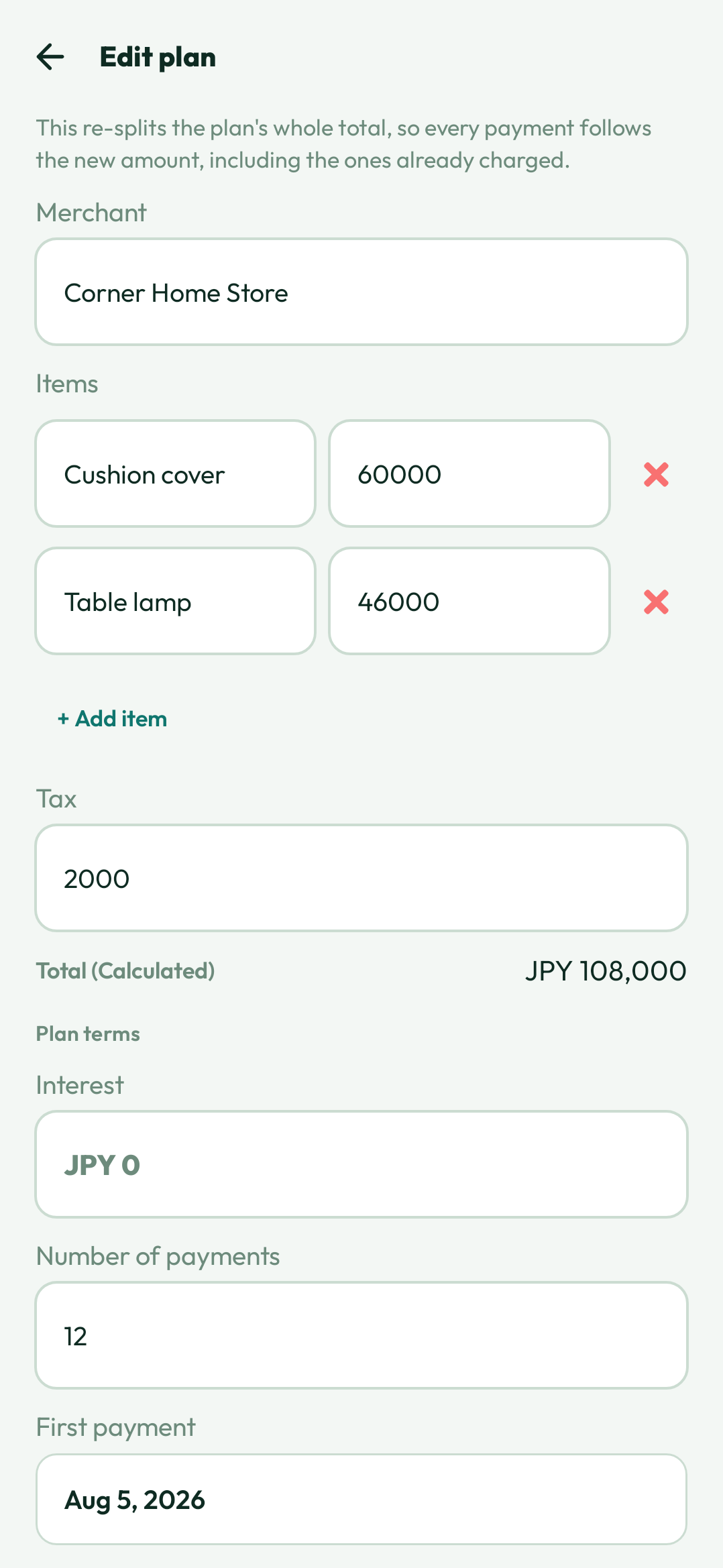
Editing a plan re-splits its whole total, so every payment takes the new amount, including the ones already charged. Each keeps its own date and settled state, so the schedule does not move; the amount of every payment, past and future, follows the new total.
A single payment is not edited on its own. The plan is where its terms live, and the app keeps it that way. Paying the rest off early closes the plan after a confirmation that names what will be booked and how many future payments it removes, and the plan stays as completed history.
Deleting a plan removes the payments not yet charged and keeps the ones already made as ordinary expenses.
When something goes back
Returns and refunds were the hardest case to get right. If you take the laptop back after three payments, the money should not land in one month’s budget as a windfall, and the rest of the plan should stop.
A refund on a plan is written against each payment already charged, capped at that payment’s own amount. A return that covers everything charged cancels the payments not yet charged and reads the plan as closed; a partial return leaves the rest of the schedule running. No cycle goes negative, and every payment keeps an honest amount still available to refund.
The same rule covers the plan’s card. If you link a card to a plan, that card’s cycle spend reflects each instalment in its own cycle, not the whole purchase at once.
The line we did not cross
Numza does not lend money, and it does not sell credit. It does not decide whether a plan is a good idea.
It tracks a plan you already have, or one you agree with a merchant, so the payments stay visible, count in the right month, and stop being something you work out on the back of an envelope.
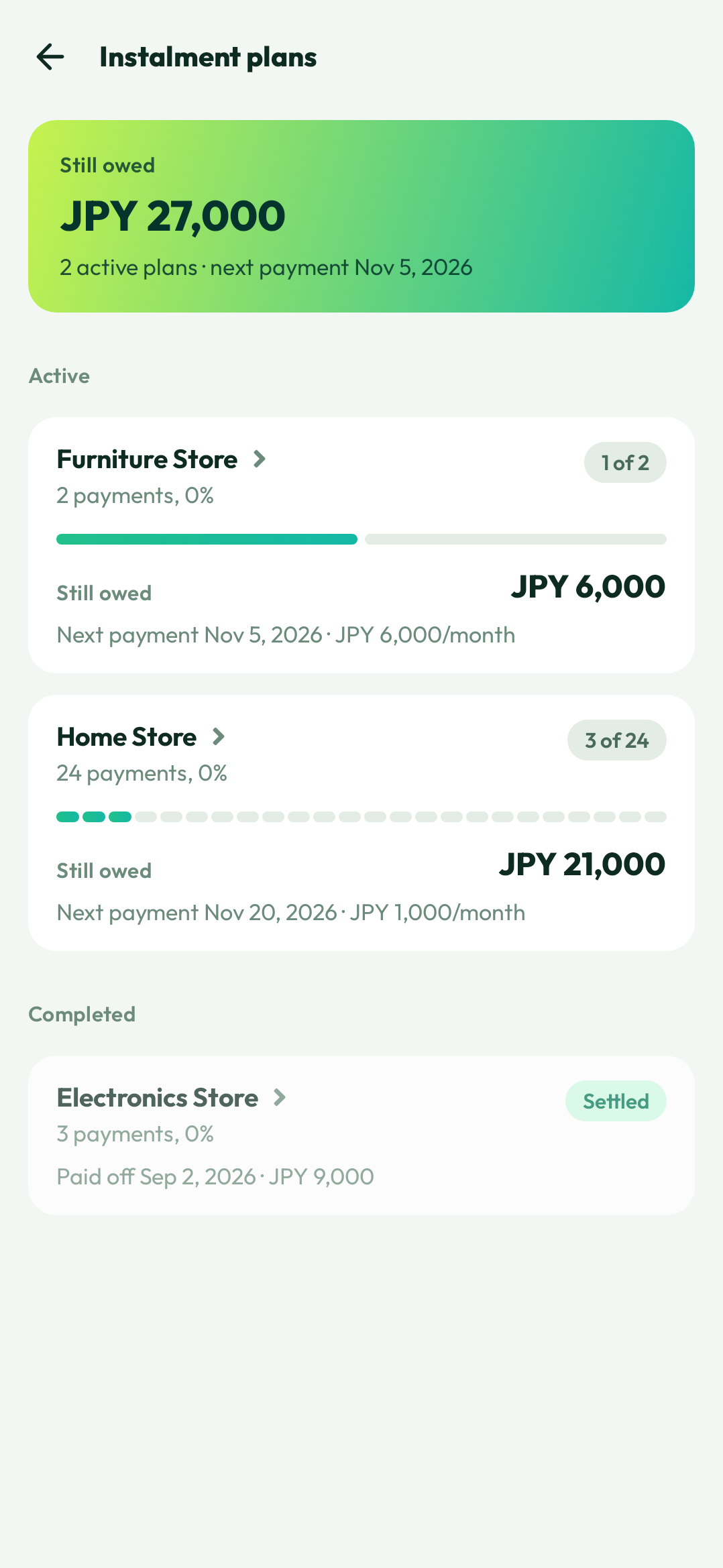
Instalment plans ship in Numza 1.11.0, alongside the full plan editor and deleting a paid-off plan. Open the Plans tile on your dashboard, or tap the instalment figure on your dashboard card to see this cycle’s share and every plan behind it. The Instalment plans page covers the details.