

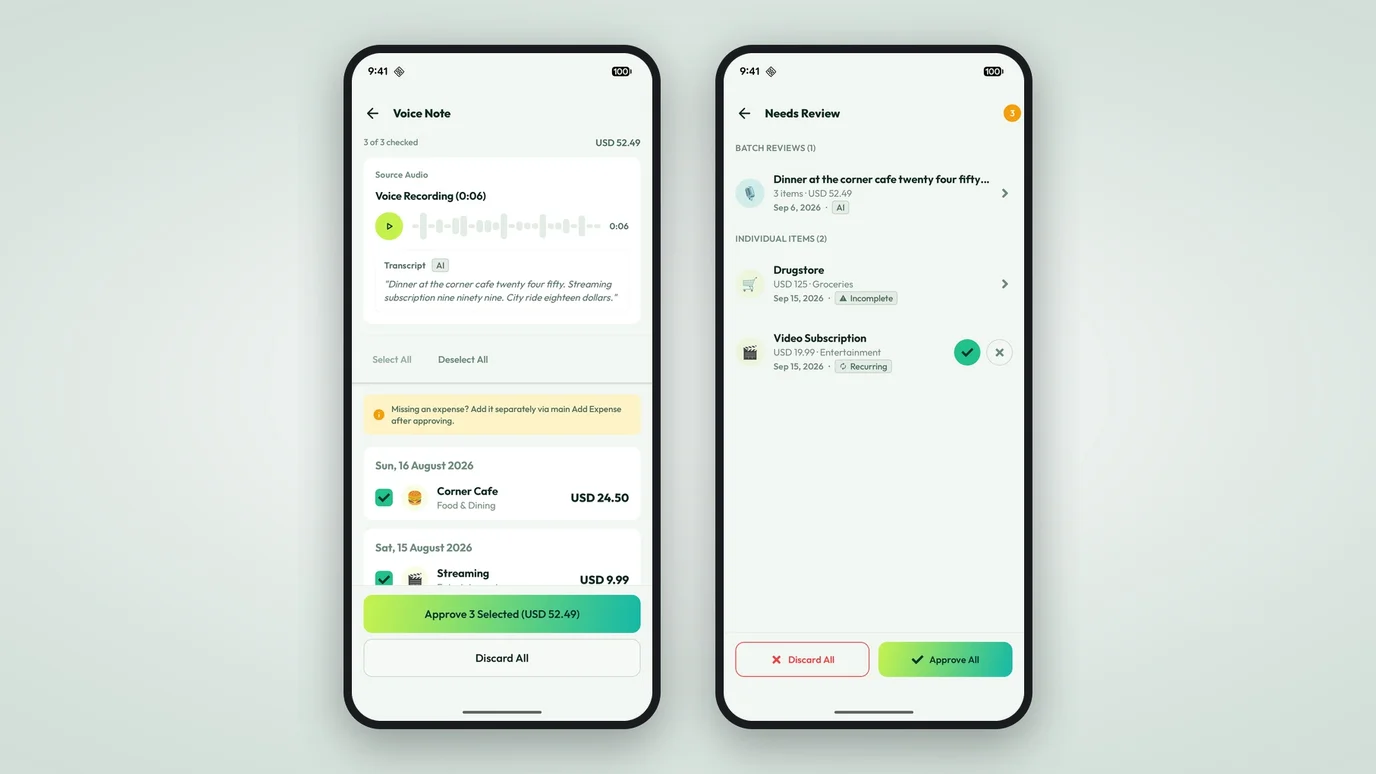
Speak an expense, then hear it back
Voice notes now keep the recording, so you can replay what you said and review it before it becomes an expense. Capture on device, review with sound, and clear them all at once.
Some expenses happen when your hands are full. You’re walking with bags, holding a door, or it’s raining. Typing an amount is not happening, so you speak it.
That part already worked. What didn’t was the recording. Once you spoke, the clip was thrown away, and you had to trust the transcript. If the app heard something wrong, you’d find out later, in a list you no longer recognized, with no way to double-check.
Now the recording is kept. Voice notes in Numza have a soundwave and a review screen you can replay.
Watch it as you speak
While you record, a live waveform grows on screen. When you stop, the note keeps its clip, not just the words.
Hear it back before it’s an expense
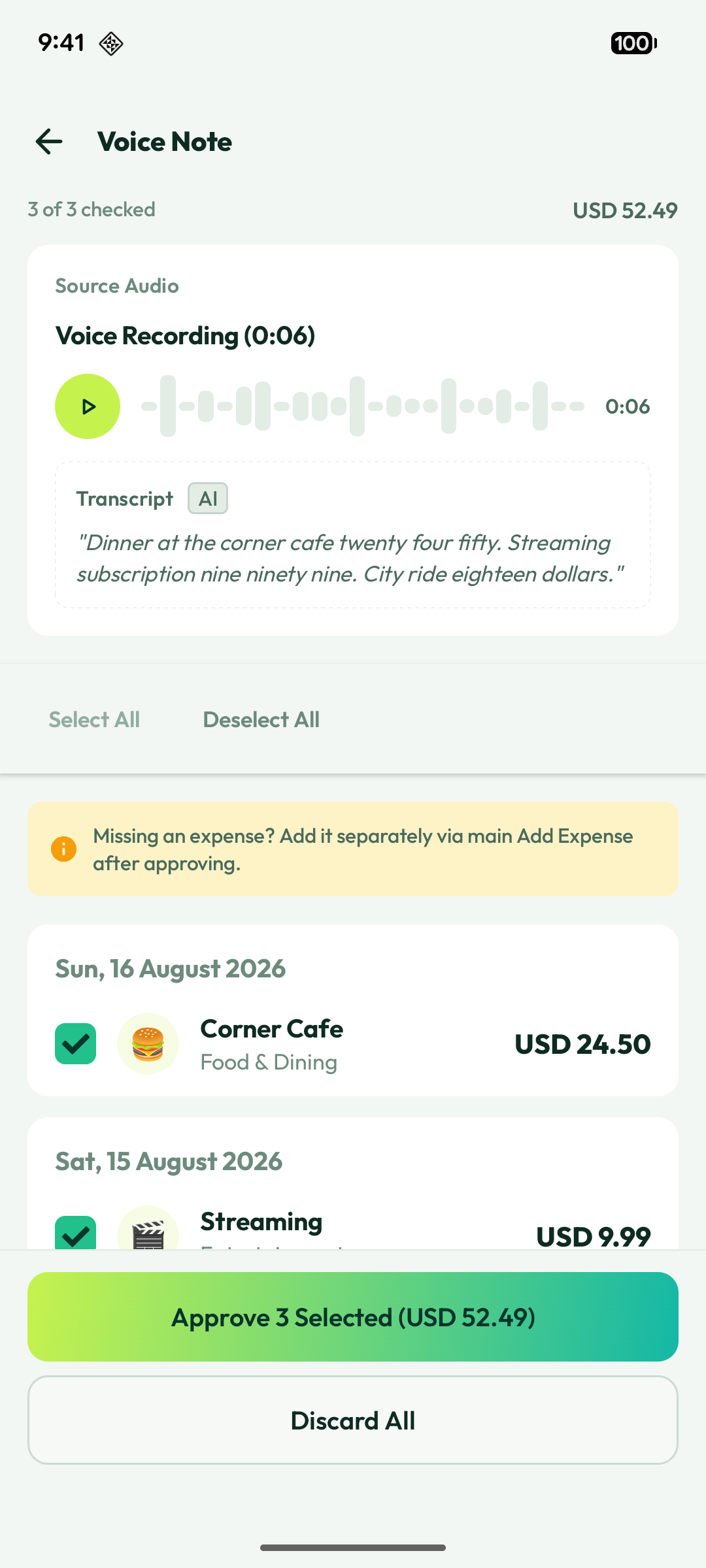
Every voice note opens onto a review screen with the recording, a small player you can play and pause, and the transcript beside it. Replay to confirm what you said before it lands in your list. You can also review the transcript and edit any errors before you send it for parsing, so a misheard name doesn’t become a wrong category.
Captured on your device
The recording is made on your phone, and the transcript is written there too. So the app still has something to work with even if a network or AI service is unavailable. Your notes don’t wait on a connection.
Review them all at once
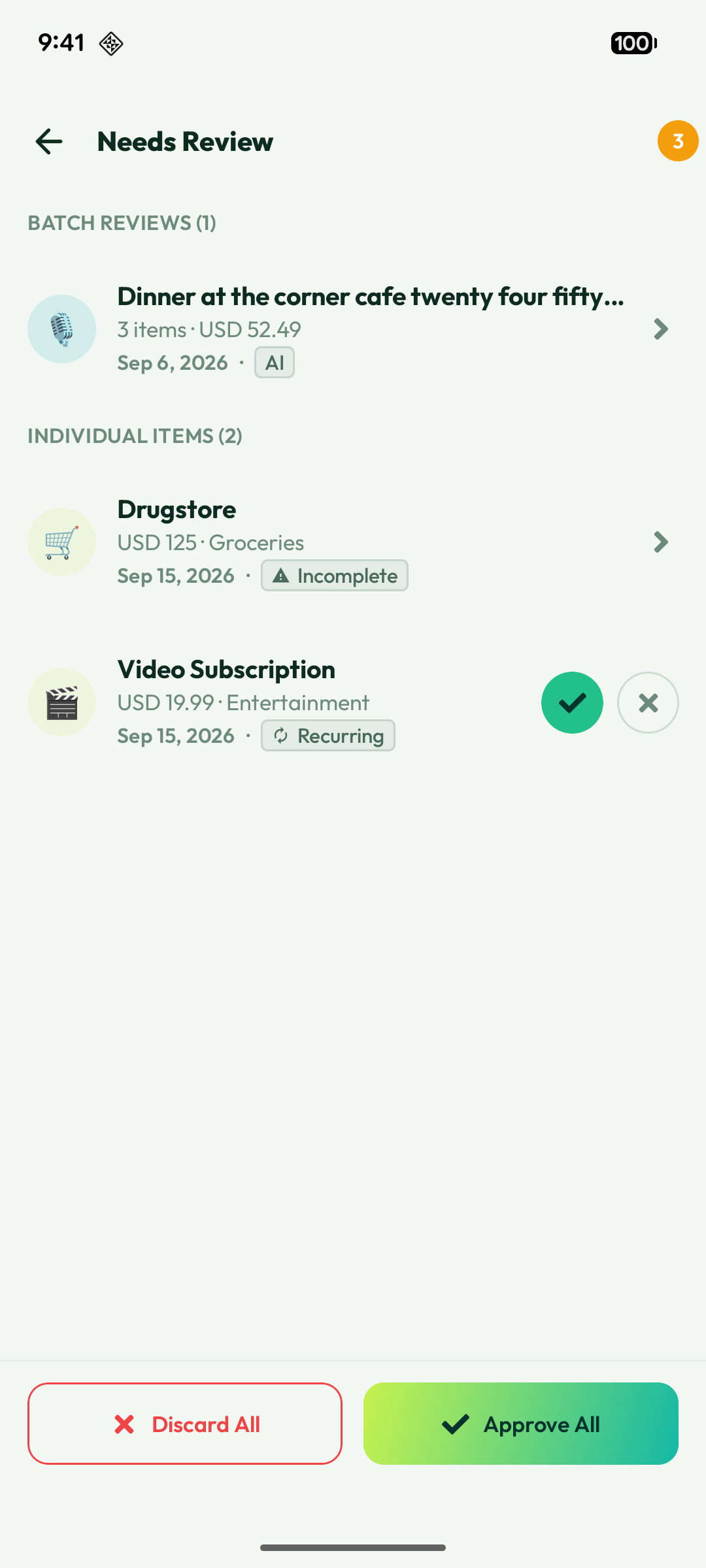
Voice notes that need a second look appear in a Voice Notes section in the app’s review area, each labeled On-Device or AI so you know where the words came from. Tidy up the whole list with the bulk actions: approve everything that looks right, or discard the ones that don’t.
The point of a quick capture is that it stays quick. You speak, you hear it back, you confirm.
Also in this release, Numza added multi-currency and upgraded payment methods, so balances and card accounts are easier to read.