

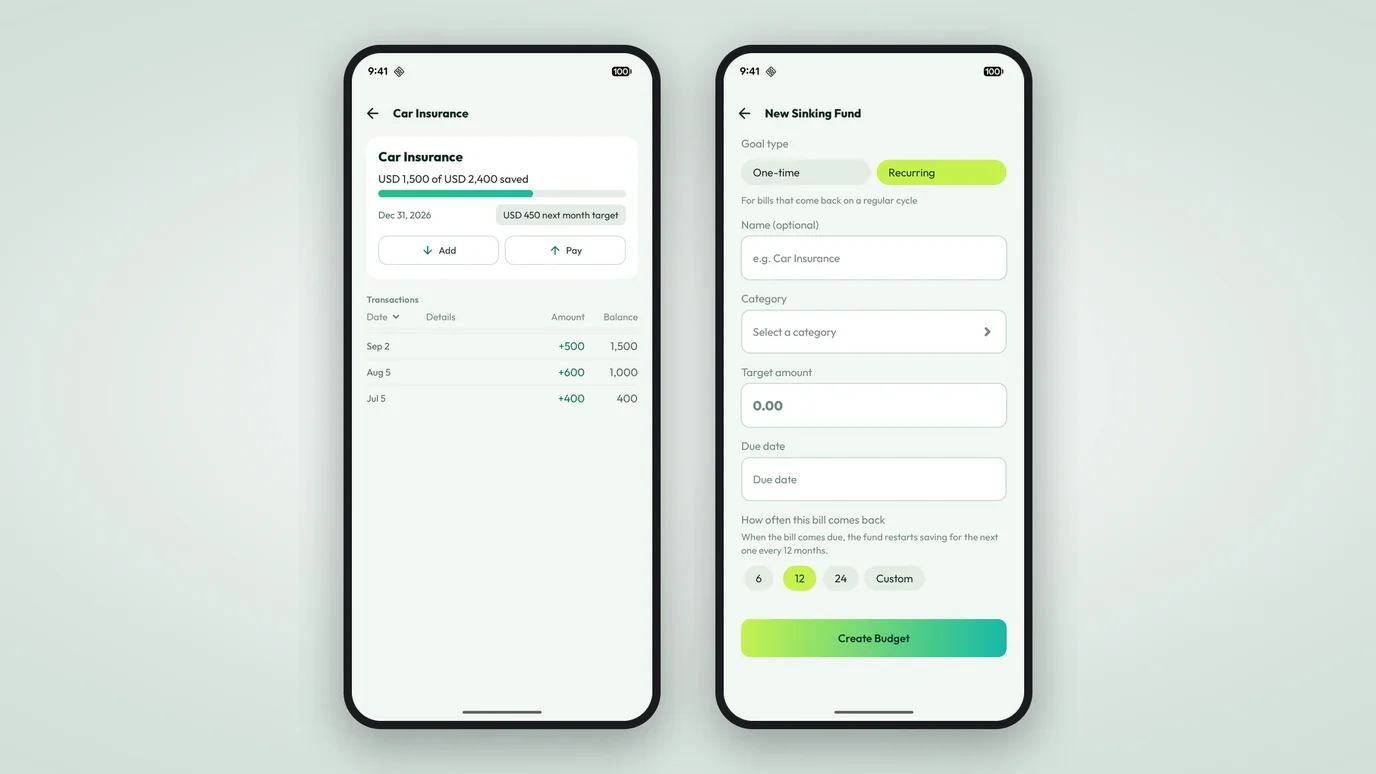
Sinking Funds: save a little each month for the bills you'd rather not think about
One big yearly bill becomes a small monthly amount. Set a target, watch the per-month number, and the money is there when the bill arrives. Now in Numza.
Car insurance is due once a year. So is property tax, and the subscription you keep meaning to cancel. When they land, they land all at once, in the one month that has the least room.
What if the app split that yearly bill into twelve small amounts and helped you set them aside each month? By the time the bill arrives, the money is already there. That’s a sinking fund, and it’s now built into Numza.
Set a target and let the app do the math
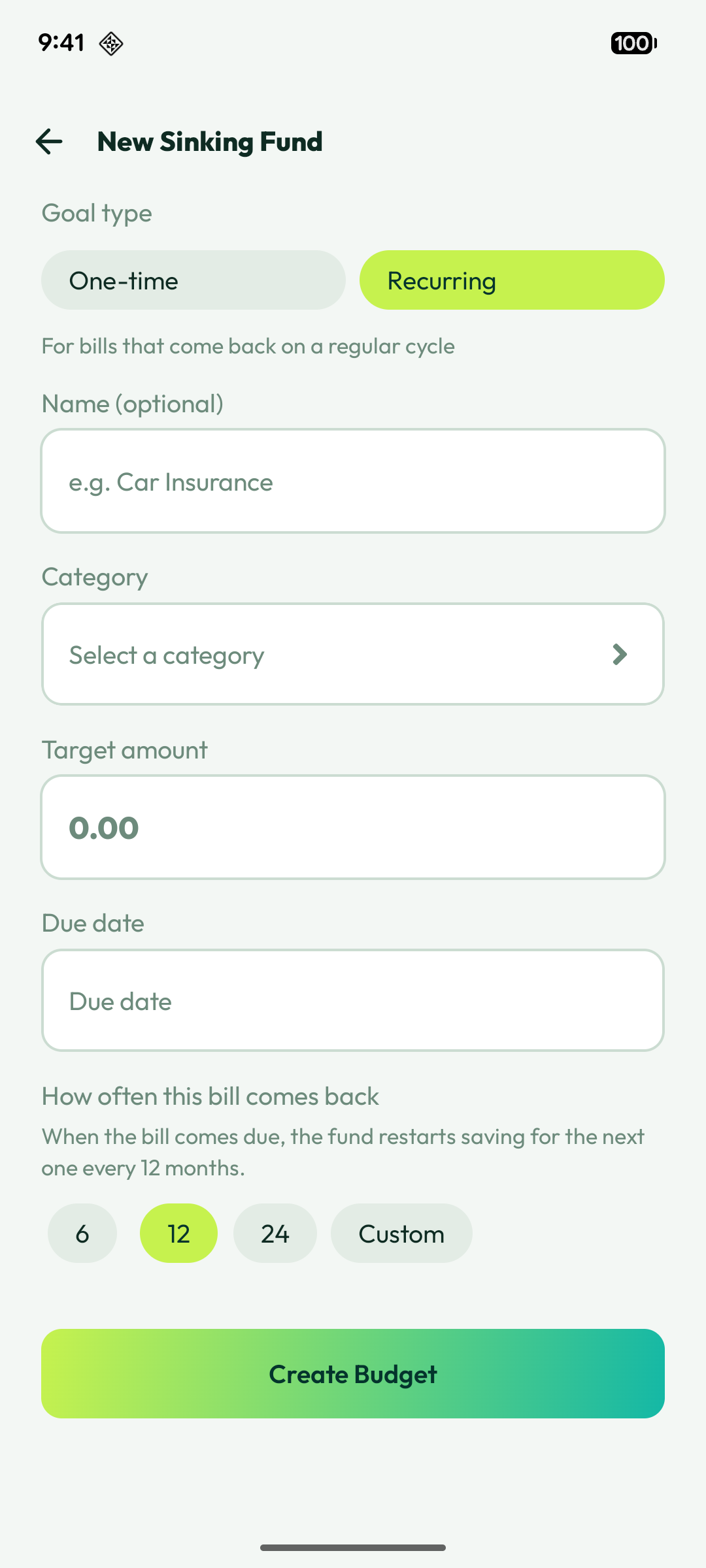
Add a Bill Savings Target (Sinking Fund) from the Create Budget sheet. Pick a goal type: one-time for a single expense like car insurance, or recurring for bills that come back. Enter the amount and the due date, and Numza works out the monthly amount you need to save.
The target shows a simple progression: this month’s target, then next month’s, then a clear goal-achieved state once you’re done. You can see how much you’ve saved against the target at a glance.
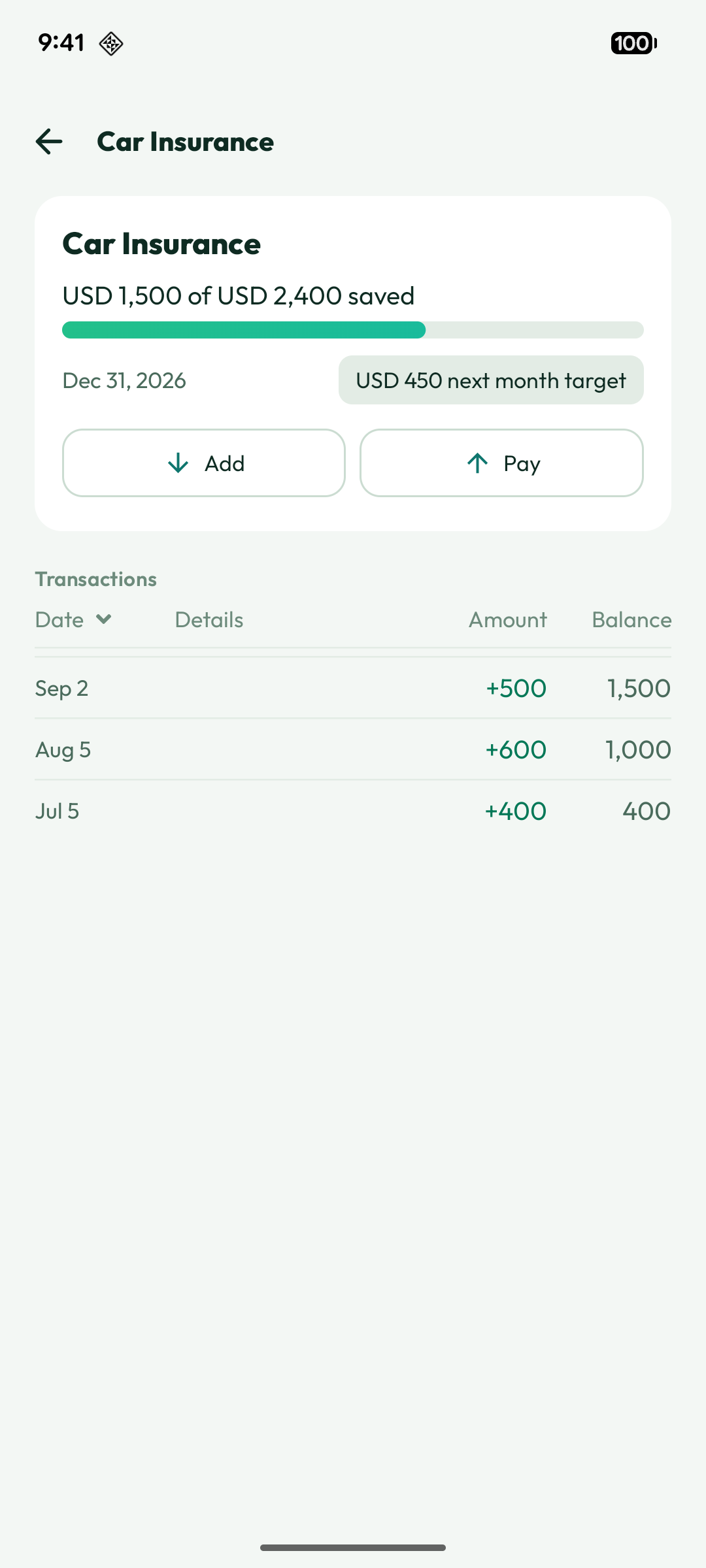
Pay the bill from the fund
When the due date arrives, you don’t scrape the money together. Draw from the sinking fund and record the payment. The fund remembers what it’s for.
Recurring bills take care of themselves
For a recurring target, marking the bill as paid archives the fund and starts the next cycle automatically. If you saved a little more than you needed, the surplus carries forward, so one good month helps a later one. You can look back at how a fund has behaved and jump to the next cycle when you’re ready.
One-time goals finish clean
A one-time target is done when you reach it. Numza marks it complete and tells you the fund won’t renew. No stray buckets left in your list.
The yearly-bill problem is easy to ignore until it’s expensive. Sinking funds turn it into something you plan for a few dollars at a time.
Also in this release family, the app moved to a simpler four-tab layout (Dashboard, Insights, My Expenses, Notifications) with quick-action shortcuts, so the things you plan for are easier to reach.